Network
Networking is a central part of Kubernetes . The Kubernetes network model is implemented by the container runtime on each server node.
Configuration
It is strongly recommended to set a dedicated VLAN and static IP addresses for each cluster node in order to isolate your cluster. Clusters require allocating non-overlapping IP addresses for Pods, Services, and Nodes from a range of available addresses.
VLAN
Create a new VLAN with IPv6 disabled and domain name set to local:
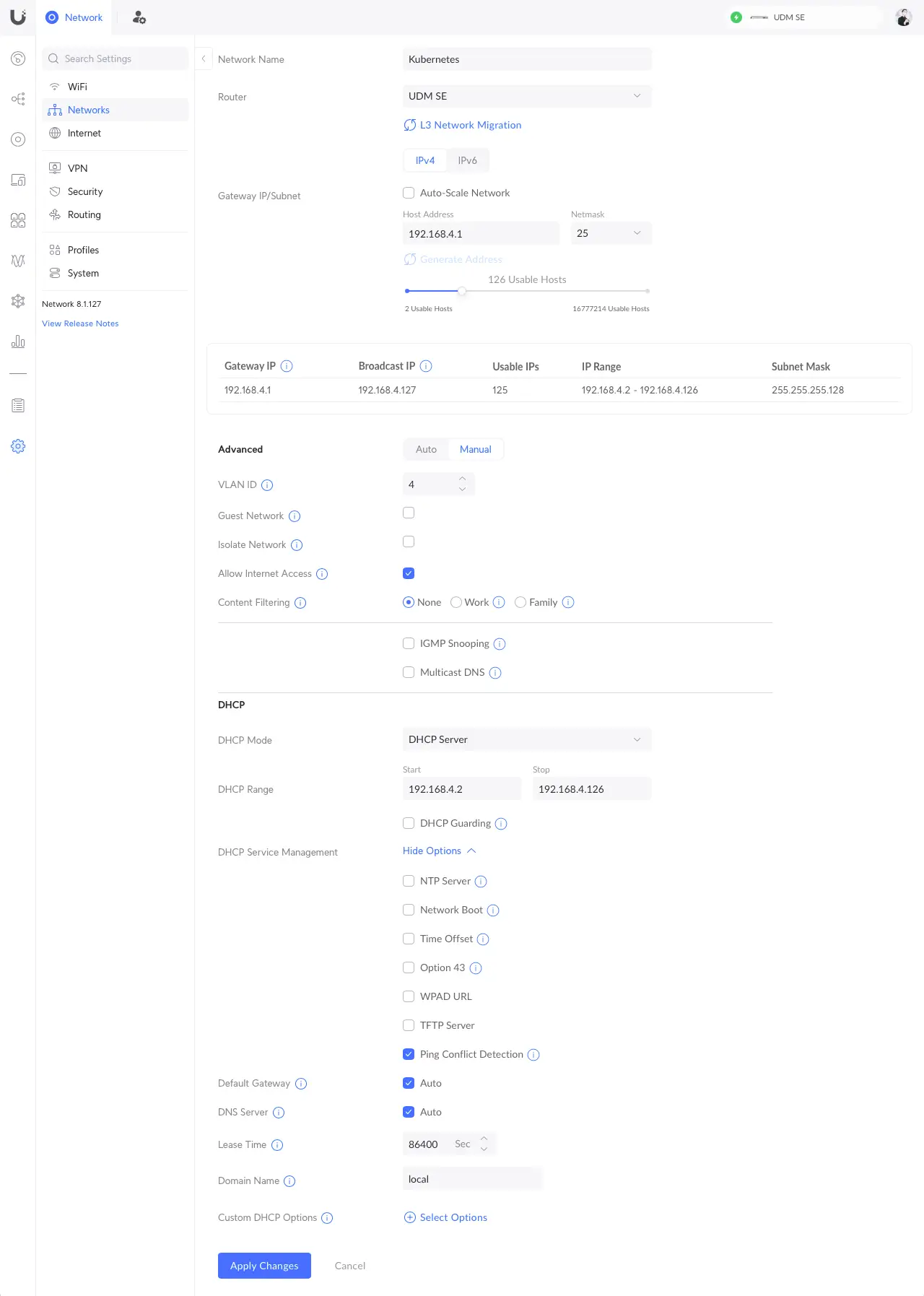
In the above example, the VLAN ID is set to 4 and the subnet netmask to 25, allowing you to set up to 125 usable hosts, used for your nodes and Kubernetes external IP services.
Static IP Address
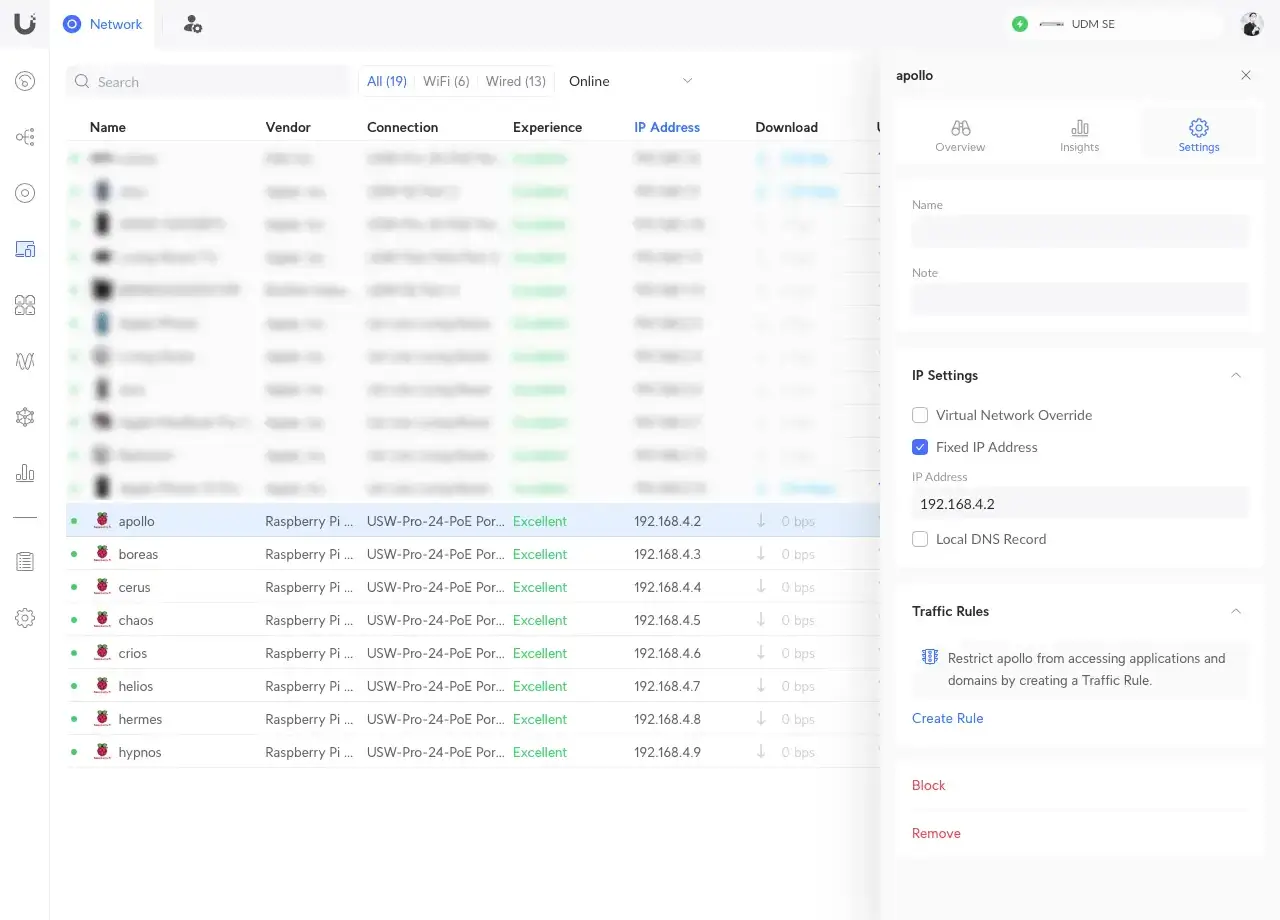
For each server node, set the static IP address associated with the related network interface MAC address:
Internet Connectivity
Log in to a server node and test the network connectivity with the outside world:
curl -I https://one.one.one.oneThe expected output should be:
HTTP/2 200
date: Fri, 03 May 2024 08:18:06 GMT
content-type: text/html; charset=utf-8
cf-ray: 87ded1839bf04bb8-YUL
access-control-allow-origin: *
cache-control: public, max-age=0, must-revalidate
etag: "5dd740d0e716a31c1b8437db0263fa93"
vary: Accept-Encoding
referrer-policy: strict-origin-when-cross-origin
x-content-type-options: nosniff
server: cloudflare
alt-svc: h3=":443"; ma=86400